Attendance Monitoring Tracker - DfE
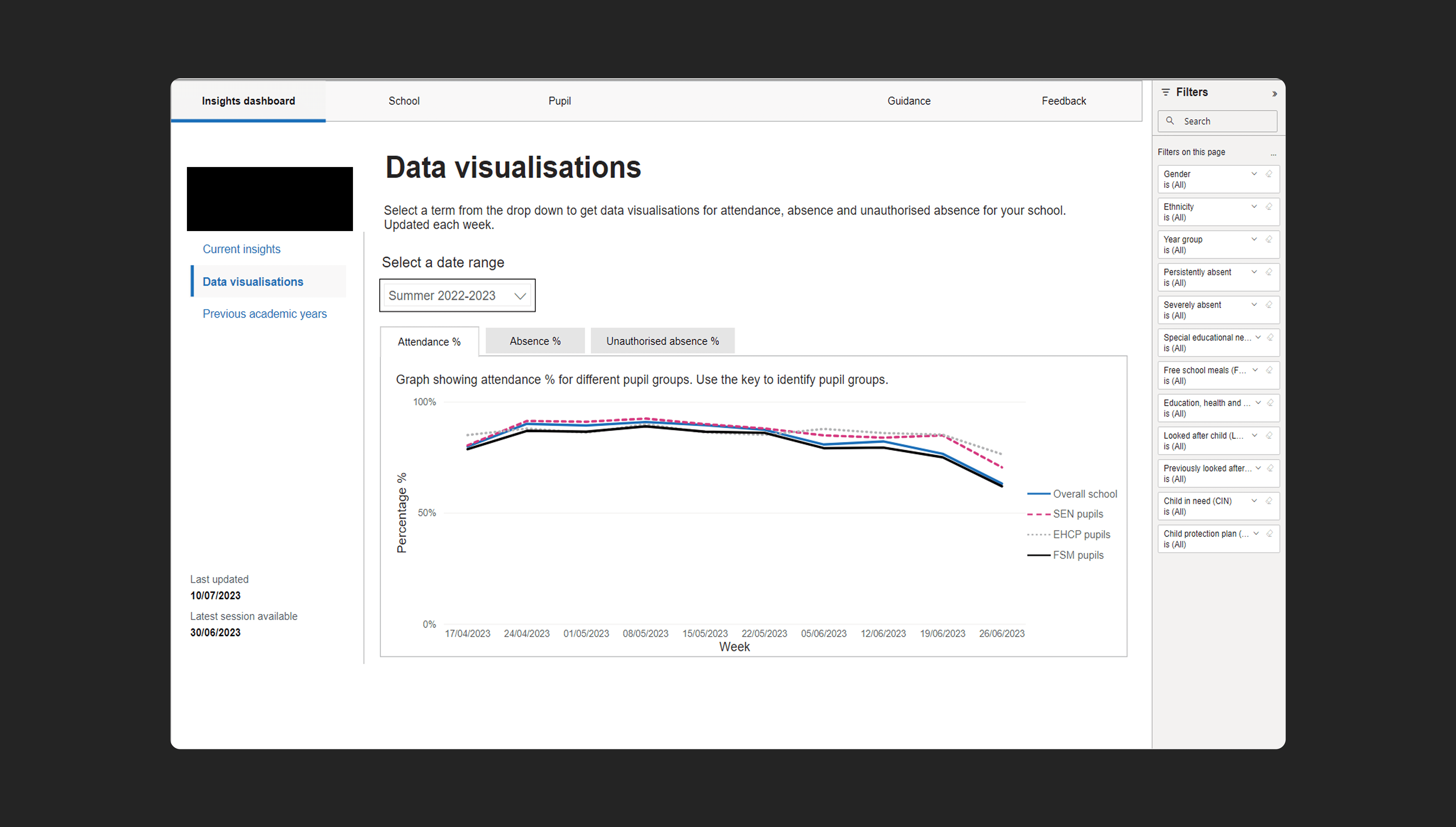
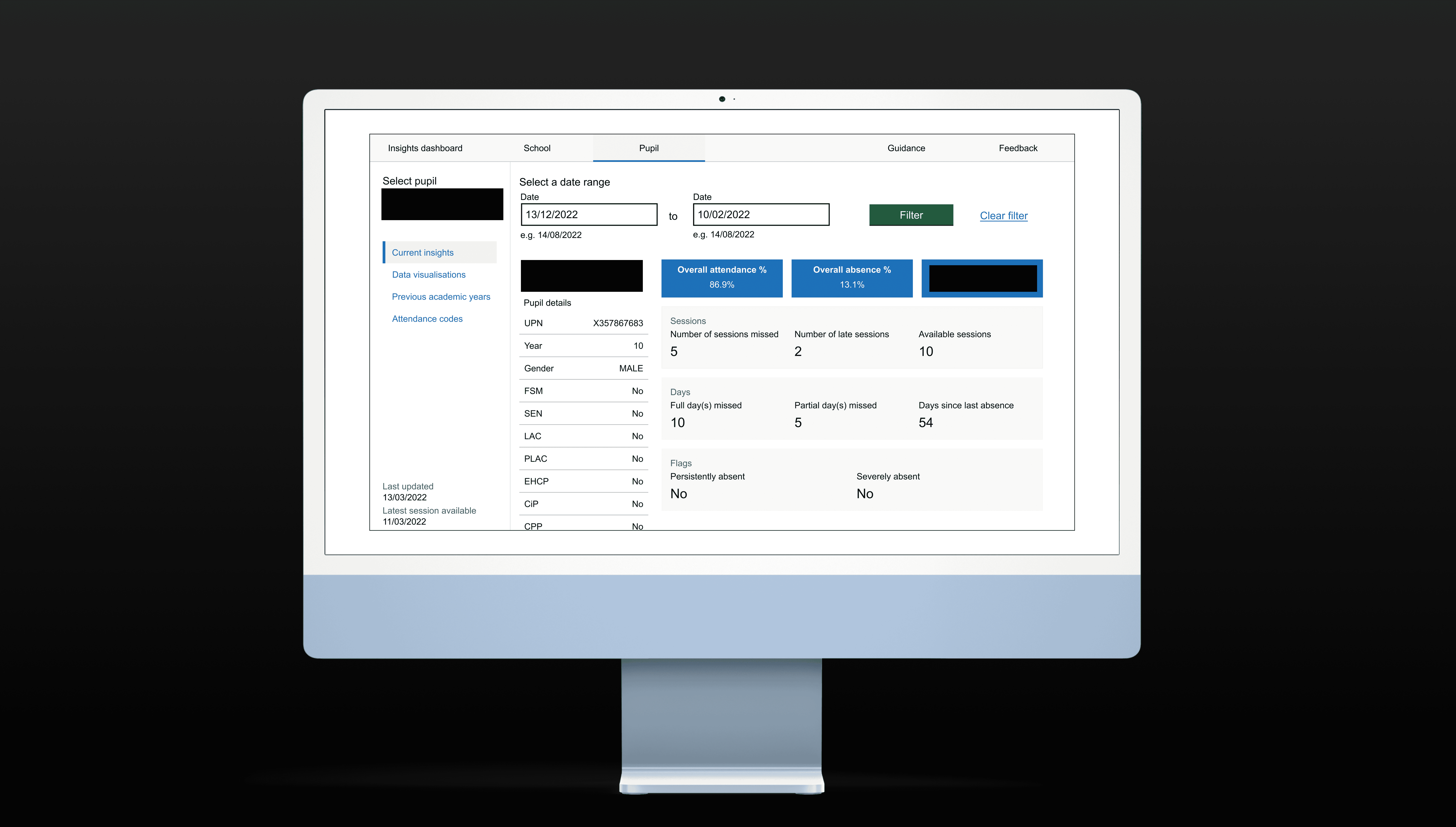
Daily Attendance Tracker, developed by the Department for Education, supports schools, local authorities, and trusts in England by providing comprehensive monitoring of student attendance through dashboards and reports. These reports serve as critical tools for government and school officials to make informed decisions aimed at enhancing pupil attendance. Notably, the focus is on identifying and addressing the needs of vulnerable children who may otherwise be at risk of slipping through the cracks. My role as sole UX Designer was to use the research from existing attendance data collection tools and produce new system to monitor pupil attendance in schools nationally. To maintain confidentiality, I’ve included a few representative wireframes and excluded any data or content related to real students.
Client
Department for Education
DELIVERABLES
Branding UX&UI Design
Year
2022 – 2023
Role
UX Designer
02 USER PERSONAS
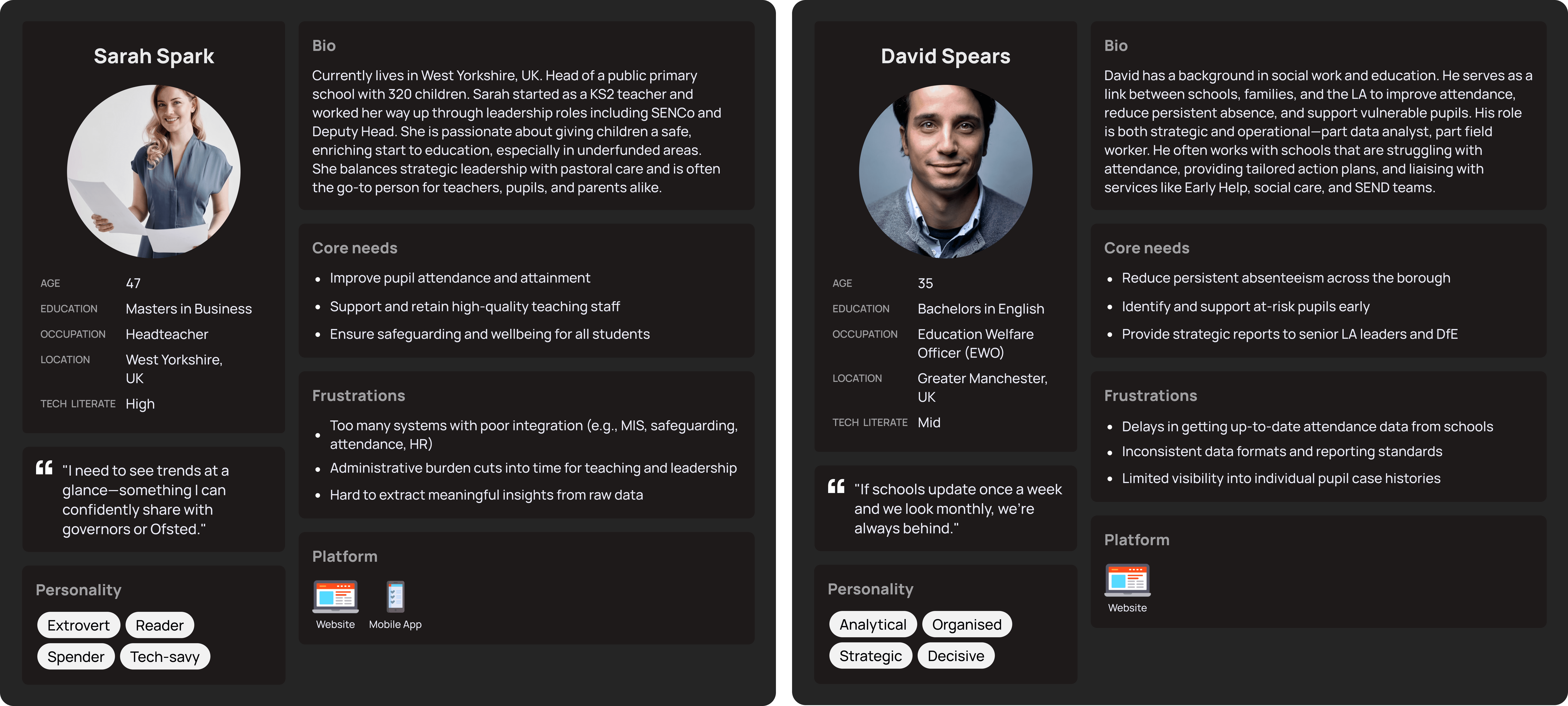
I developed two personas to provide a clear understanding of the target audience, guiding design decisions, enhancing user experiences, and ultimately leading to more effective and user-centered solutions. We aimed to provide features that would be of most benefit to the user.
Teachers want a reliable, centralised way to access and interpret real-time attendance data because they are spending too much time chasing outdated or inconsistent reports, which delays intervention for vulnerable pupils and undermines borough-wide efforts to reduce persistent absence.
03 DESIGNING DOWN FROM A VISION
After speaking to the technical team and Power BI developers, I had to scale down the designs as some features proved too complex or unsupported within the platform’s limitations. I recreated the designs in Figma and used the prototype tool to carefully map out what I intended the new tool to look and feel like. Some of the compromises were purely aesthetic, but others impacted functionality and required us to rethink how we delivered certain features to users.
One key limitation involved data export. Power BI didn’t support selecting specific rows of pupil attendance data, users could only download the full dataset. This was a problem for school staff and local authority analysts who often needed data for a single school or cohort. Downloading everything created extra admin, increased the risk of error, and slowed down their workflow.
To work around this, I added clear messaging in the UI to set expectations and included help text on how to filter data after export. While not ideal, this compromise aligned with technical constraints and allowed us to prioritise other high-impact improvements in the user journey.Another technical constraint we encountered was related to navigation. The original user journey required multiple steps to reach key dashboards. Due to how Power BI handles embedding and authentication, users had to complete an additional step just to enter the tool, creating friction early in the journey.
To help users overcome this, we provided step-by-step instructions and walkthroughs. We added tooltips and inline guidance so users could receive help when they needed it. We implemented an onboarding email that explained the process upfront, including what to expect when launching the tool from external systems.
Dashboards connected to large datasets load slowly, especially with multiple visuals and complex DAX queries. This led to poor user performance and disrupted user flow. To combat this, we limited the visuals per page and paginated the table to only load the data they needed.
04 THE IMPACT
We relaunched and began by rolling it out to schools only, using this as an opportunity to carry out focused user testing and gather actionable feedback early.
User testing in schools
I designed and facilitated structured usability tests with school staff using the newly launched version of the tool. This included:
Remote observation sessions through a Teams video setting, where participants completed core tasks like onboarding, viewing attendance dashboards, and interpreting key metrics.
Survey links added to monthly newsletter and follow-up interviews to understand areas of confusion, unmet needs, and perceived value of the tool.
Session recording analysis using Microsoft Clarity to track user behaviour and identify sticking points or drop-off areas.
Adapting for Local Authorities and Trusts
Once the tool was validated with schools, we expanded the rollout to local authorities (LAs) and multi-academy trusts (MATs). These groups had different user needs, such as:
Viewing attendance across multiple schools
Exporting data for broader analysis
Assigning different user permissions
I worked closely with stakeholders and data analysts to ensure the design accounted for all three user groups, adjusting dashboards, access levels, and navigation flows accordingly to support each use case without compromising usability.
Stakeholder Engagement
We presented the updated tool to internal DfE policy teams and stakeholders, who were invested in how the tool could inform attendance strategy at a national level. These sessions were key in:
Showcasing the impact of our user-led design decisions
Demonstrating how the tool aligned with policy goals
Gathering further input for roadmap planning
This collaborative, iterative approach helped ensure the tool was usable, scalable, and aligned with the needs of schools, LAs, and trusts, while also satisfying internal policy and data reporting requirements.